3.02 The Lokasenna tab:
This tab displays the various Lokasenna defined elements. It also makes apparent some
of the issues I faced when designing themes using only Lokasenna classes.
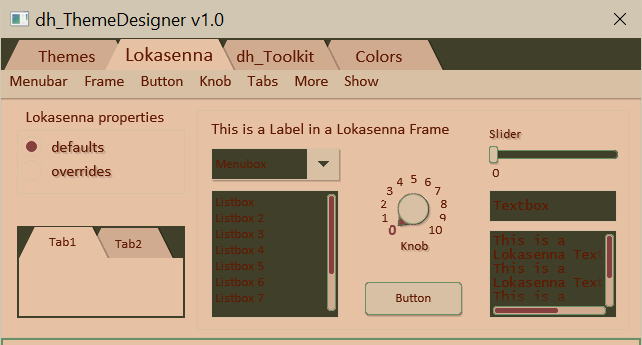
The menubar:
The menubar menus allow changing some of the property values
of the displayed elements. The first option shown in each menu item
is the default value. The remaining options are used to override the default.
Although this allows auditioning various colors, one should try to
stay with the defaults when possible. (Except, of course, where
prescribed such as panel colors.)
The "Lokasenna properties" radio box:
Select "default" to display the default colors and properties
(as defined in the Lokasenna class files).
Select "overrides" to display the overridden properties chosen from the menubar.
Note: The background and text colors of labels, knob, and slider which are placed on the Lokasenna frame will use the default colors when set to "default", but will automatically be set to use the frame's background and text override colors when set to "override". When set to "default" the menubar selections will update the elements' properties in the background, but they won't be shown until "overrides" is selected.
Note: The background and text colors of labels, knob, and slider which are placed on the Lokasenna frame will use the default colors when set to "default", but will automatically be set to use the frame's background and text override colors when set to "override". When set to "default" the menubar selections will update the elements' properties in the background, but they won't be shown until "overrides" is selected.
The Show menu:
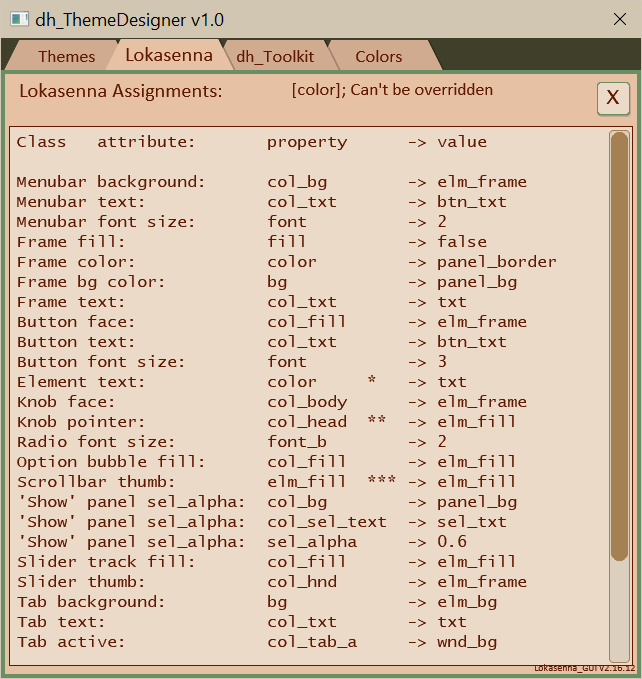
"Property Assignments to panel" opens a panel which shows the current assigned Lokasenna property values. See image below.
"Property Assignments to console" opens the script console to show the current assigned Lokasenna property values where they can be selected and copied if desired.
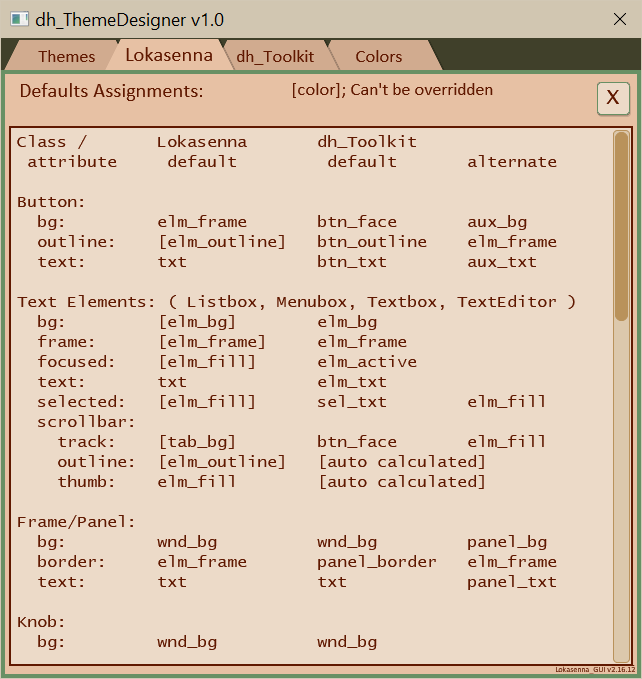
"Color Defaults to panel" opens a panel to display a list of both Lokasenna and dh_Toolkit elements default color values. See image below.
Property Assignments to panel
Color Defaults to panel